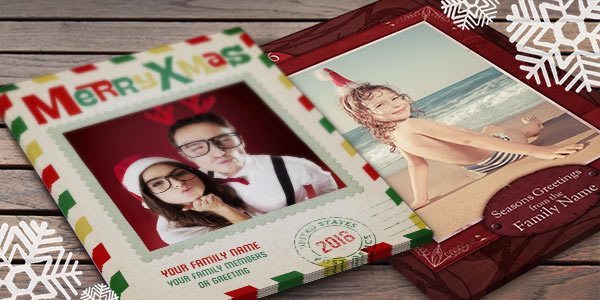
Sports Lover’s Christmas Card Template - Photoshop or Elements

OK, so let’s get real. I had a hockey mom buddy of mine that sent me a striking action photo of her son playing hockey in a Christmas card template, you know the type of card that you get at the local store… it had her COOL son playing COOL hockey and the personal message […]

How to create a backup disk of your EasyDigital.com product

Windows XP
This is one of many ways to create a backup CD. Let me know if you have any questions on this procedure.

Put the EasyDigitals.com product folder that you want to backup onto your desktop (the product can be zipped or unzipped, it’s your choice)*
Insert a blank cd into your computer
A window will come up. […]

Christmas Cards Vol 4 - 4×8 inches Photoshop or Elements

I’m thrilled to introduce some special Holiday Greeting Cards from an award winning designer, Roger Ridpath. Roger’s a fairly modest guy so he won’t tell you a secret that I’m willing to let slip…last year Roger won first place in a Christmas card design contest! This year he is sharing his talents with EasyDigitals.com!
If you […]

Christmas Cards Vol. 3 - 5 x 7 inch designs

What’s special about these cards? It’s the crazy flexibility! You can customize the layers, colors and text to match your photos perfectly for seamless, beautiful holiday greetings.
You get:

5 unique designs
10 cards, horizontal and vertical
5 x 7 inches
300 dpi
Font download info provided

November Special!
Get $5.00 off  Volume 3 set
Use the code: hol08
Learn more about this set now… […]

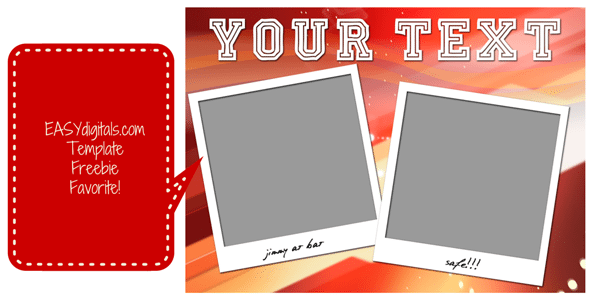
Christmas Card - November Free Template of the Month

This classic horizontal Christmas Card is perfect for your holiday images! Change it to ANY color that matches your design.

5 x 7 inches
300 dpi
Photoshop and Photoshop Elements Compatible

Get this card and many more free by signing up for the EasyDigitals Newsletter today!

Click gallery below to see larger:

Customer Spotlight: “Phyllis Blume Photography”

I started in photography by doing portraits and weddings many years ago, but wasn’t happy with that area. My husband and nephew took up racing quad hare scrambles about 12 years ago, and that got me excited about photography again. A track owner asked if I’d try taking pictures of motocross sometime, and that really got me […]

Tutorial: Poster Pro Vol 2 plus Grunge Techniques Explained

Part 1 covers the template customization basics.
Part 2 covers advanced grunge techniques and how to get that edgy look for your photos.
Learn more about this product…

Poster Pro Quick Kit Vol 2: Music, Seniors, Dance, Country and More

Need a quick Photoshop poster template for a Bands, Dance, Rodeos and Seniors?
This weathered grungy poster is perfect for a large variety of photos. Just like all EasyDigitals.com products it’s a completely original design.
These posters come in 8 x 10 inches, 300 dpi, horizontal and vertical. They can also be printed at 16 x 20, […]

Video Tutorial: How to Place a Title Behind a Head

Learn how to quickly place a head or body part over titles and edges with the Quick Selection tool.
The Quick Selection tool became available on Photoshop CS3.

Related products:
Poster Pro Quick Kit
Magazine Covers Bundle

Introducing: Poster Pro Quick Kit Vol 1

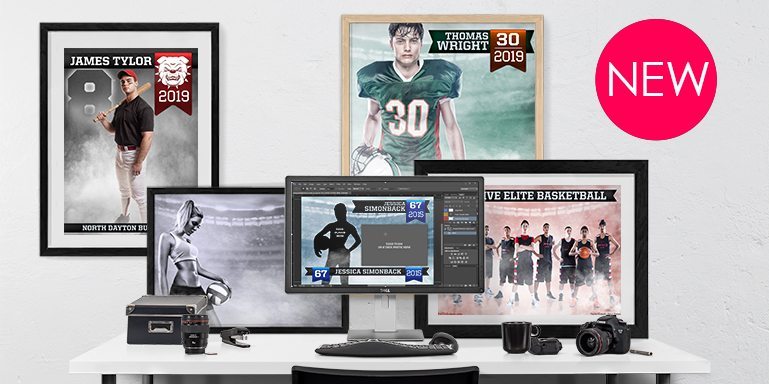
Need a quick Photoshop sports poster template?
Introducing  a new line of products offered by Easydigitals: Pro Poster Quick Kits.
If you need to make posters, then this is the product for you. These posters come in 8 x 10 inches, 300 dpi, horizontal and vertical. They can also be printed at 16 x 20, 150 dpi […]